
Solana Wallets: Budget and Security Fit
Choosing a Solana wallet is not just about finding the cheapest option; it is about matching your security needs with your activity level. The ecosystem offers a clear divide between hot wallets for daily trading and cold storage for long-term holding. Your decision should hinge on how much you trade, how much you hold, and how comfortable you are with technical setup.
For most users, a combination of a hot wallet and a hardware device offers the best balance. Phantom is widely considered the standard for casual users and cross-chain activity due to its intuitive interface and deep integration with Solana dApps. It allows for easy swapping, staking, and NFT viewing. However, because it is software-based, it remains connected to the internet, making it more vulnerable to phishing or malware attacks than a dedicated hardware device.
Solflare serves as a strong alternative, particularly for users deeply embedded in the Solana ecosystem. It offers robust staking features and a more granular control over account structures, which appeals to power users. If your primary goal is deep engagement with Solana-native DeFi protocols, Solflare provides the necessary tools, though its interface can feel slightly less streamlined for beginners compared to Phantom.
For significant holdings, hardware wallets like Ledger or Keystone are the safest choice. These devices keep your private keys offline, protecting them from online threats. While they require a small upfront investment, they provide peace of mind for long-term holders. A common strategy among experienced users is a three-wallet system: a hardware wallet for long-term storage, a hot wallet like Phantom for daily transactions, and a separate, minimal wallet for interacting with new or risky dApps. This layering reduces exposure and limits potential losses from a single compromise.
Shortlist real options
Choosing the right Solana wallet depends on your specific needs, whether that’s casual trading, deep ecosystem engagement, or cold storage security. The market has matured significantly, with distinct leaders emerging for different user profiles. Phantom remains the dominant choice for general usability and cross-chain activity, while Solflare offers robust features for those deeply embedded in the Solana DeFi landscape. For hardware security, Ledger and Keystone provide essential cold storage solutions.
To help you decide, we’ve compared the top contenders across key metrics. This table highlights the primary strengths and limitations of each platform, allowing you to match a wallet to your workflow without guessing.
| Wallet | Type | Best For | Key Limitation |
|---|---|---|---|
| Phantom | Hot Wallet | Cross-chain & UX | Multi-chain complexity |
| Solflare | Hot Wallet | Solana DeFi & Staking | Solana-only focus |
| Backpack | Hot Wallet | Trading & Security | Newer ecosystem |
| Ledger | Cold Storage | Maximum Security | Requires external app |
| Keystone | Cold Storage | Air-gapped Privacy | Higher cost & setup |
Phantom is widely regarded as the default entry point for new users due to its intuitive interface and seamless integration with Solana dApps. It supports multiple blockchains, which is useful if you hold assets across different networks, though this can sometimes clutter the experience for Solana purists. Solflare, by contrast, is built exclusively for Solana. It often provides faster access to niche DeFi protocols and offers more granular control over staking rewards, making it a favorite among power users.
For those prioritizing security, hardware wallets like Ledger and Keystone are non-negotiable. They keep your private keys offline, protecting against phishing and malware. While they require a slightly more complex setup process—typically involving connecting the device to Phantom or Solflare—they offer the highest level of asset protection. Backpack is also worth noting for its unique security features, including account abstraction and built-in trading tools, appealing to active traders who want security without sacrificing speed.
Inspect the expensive parts
Solana’s speed comes with tradeoffs. When things break, they break fast. A single misconfigured transaction or a compromised private key can drain an account in seconds. This section walks through the high-stakes checks you must run before committing significant capital to the ecosystem.
Before funding, audit your wallet’s security settings. Phantom and Solflare are the top choices, but their defaults vary. Phantom excels for casual cross-chain users, while Solflare offers deeper Solana-specific controls. Ensure you have backup phrases stored offline and disable any unnecessary dApp permissions that could expose your keys to malicious contracts.
Never move your full stack on the first try. Send a small, insignificant amount of SOL to a new address or dApp to verify transaction success, network fees, and slippage tolerance. This step confirms that your wallet connects correctly and that you understand the gas dynamics of the Solana network before risking real assets.
Solana’s high throughput means malicious contracts can execute complex attacks rapidly. Use tools like Solscan to inspect the contract address before signing any transaction. Check for verified source code and community audits. If a project lacks transparency or has a recently deployed contract with no history, treat it as high-risk.

For assets you do not plan to trade actively, move them to cold storage. Ledger and Keystone are recommended for hardware-based security. Keeping your primary SOL holdings on a hardware wallet isolates them from online threats, ensuring that even if your computer is compromised, your main treasury remains safe.
Plan for ownership costs
The sticker price of a hardware wallet is just the entry fee. The real cost of Solana custody comes from the friction of maintenance and the hidden fees of inactivity. Buying a cold storage device is easy; keeping it secure over a five-year horizon requires active management.
Hardware wallets like Ledger or Keystone are not set-and-forget solutions. Firmware updates are mandatory. If you miss an update, your device may become incompatible with newer Solana applications or even fail to connect entirely. This creates a "maintenance tax" where your time becomes the primary cost. You must periodically connect your device to a computer, verify the firmware, and ensure your recovery seed remains legible and stored in a fireproof environment. A wallet that sits dormant for three years without a firmware check is a liability, not an asset.
Software wallets offer convenience but introduce different ownership costs. Phantom and Solflare are free to download, but they charge network fees for every transaction. While Solana’s fees are low, the spread between the price you pay and the value you receive can add up during high-traffic periods. Additionally, some software wallets bundle staking rewards or DeFi yields into their interface, which may involve slippage or impermanent loss if you are not carefully monitoring positions.
When a cheap buy stops being cheap, it is usually because the user underestimates the risk of a single point of failure. A $50 hardware wallet protects assets worth thousands. A free software wallet protects nothing if your computer is compromised. The most cost-effective strategy is often a hybrid approach: use a hardware wallet for long-term holds and a software wallet for daily trading, minimizing the exposure of your primary capital.
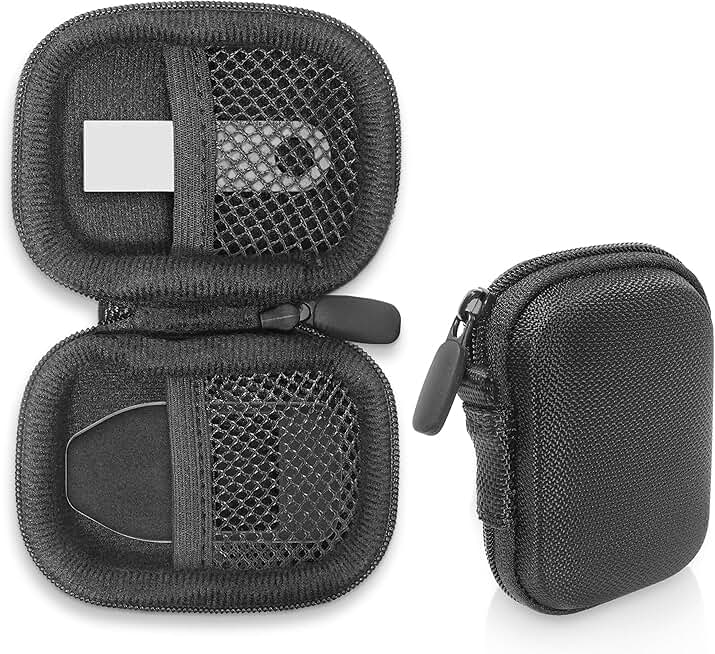


As an Amazon Associate, we may earn from qualifying purchases.
No comments yet. Be the first to share your thoughts!