
Solana Wallets: A 2026 Snapshot
The Solana ecosystem has matured significantly since 2024. What began as a promising alternative to Ethereum has solidified its position as a major player in the crypto space, and with that growth comes increasing complexity in how you manage your SOL. A secure and feature-rich wallet is no longer optional—it’s essential. This guide provides a comprehensive overview of the best Solana wallets available in 2026, focusing on secure SOL storage and seamless DeFi integration.
The landscape has shifted. Early wallets were often basic, focused solely on holding SOL. Now, users demand wallets capable of interacting with sophisticated DeFi protocols, managing NFTs, and participating in staking. Security concerns remain paramount, particularly with the rise of increasingly sophisticated phishing attacks and exploits. We’ve seen increased attention towards hardware wallet compatibility and more robust security features across the board.
This guide will cover the spectrum of options, from custodial wallets offered by exchanges to non-custodial wallets where you maintain complete control of your private keys. We’ll also explore hardware wallet integration for maximum security and assess mobile accessibility. The goal is to equip you with the knowledge to choose the best Solana wallet for your needs and risk tolerance. We’ll look at wallets that prioritize ease of use for beginners alongside those offering advanced features for experienced DeFi users.
Custodial vs. Non-Custodial: Which is Right?
The first major decision when choosing a Solana wallet is whether to opt for a custodial or non-custodial solution. Custodial wallets, typically offered by centralized exchanges like Binance or Coinbase, hold your private keys for you. This offers convenience – you don’t have to worry about managing a seed phrase – but at the cost of control. You are trusting the exchange to secure your funds.
Non-custodial wallets, like Phantom or Solflare, give you complete control over your private keys. You are responsible for securely storing your seed phrase, which is the key to accessing your funds. This offers greater security, as you’re not reliant on a third party, but also greater responsibility. Losing your seed phrase means losing access to your SOL. It's a stark trade-off.
The risks are distinct. Custodial wallets are vulnerable to exchange hacks and regulatory issues. If the exchange is compromised, your funds could be at risk. Non-custodial wallets are vulnerable to user error – losing your seed phrase, falling victim to phishing scams designed to steal it, or downloading malicious software. I believe it's crucial to understand that self-custody isn't just about technical security; it's about personal responsibility.
While custodial wallets are often easier for beginners, the long-term benefits of self-custody – particularly for larger holdings – generally outweigh the convenience. Consider your comfort level with managing your own keys and the amount of SOL you intend to hold. Diversifying your holdings across multiple wallets, both custodial and non-custodial, is also a prudent strategy.
Top Solana Wallets of 2026
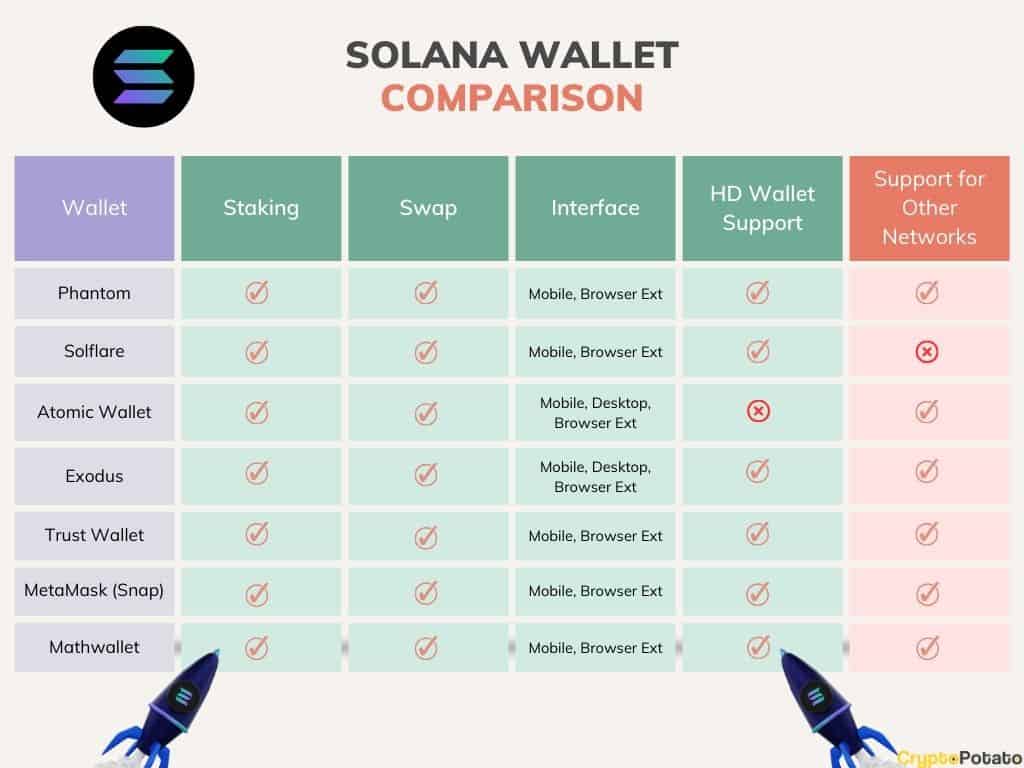
Choosing the 'best' Solana wallet depends on your specific needs, but several consistently stand out. Here's a ranked overview of the leading options as of late 2026, considering security, features, and usability.
1. Phantom: Still the dominant player, Phantom continues to innovate. It offers a slick user interface, excellent DeFi integrations (including Orca, Raydium, and Mango Markets), and strong NFT support. It's available as a browser extension and a mobile app. Security has been bolstered with improved transaction signature previews.
2. Solflare: A close second, Solflare offers a similar feature set to Phantom, with a strong emphasis on security. It’s also available as a browser extension and mobile app, and it’s particularly well-regarded for its advanced transaction fee estimation. They've recently integrated hardware wallet support more seamlessly.
3. Backpack: Backpack has gained significant traction, particularly among power users. Its unique selling point is its focus on order book trading and advanced DeFi strategies. It's less beginner-friendly than Phantom or Solflare, but offers a level of control and sophistication that appeals to experienced traders.
4. Hiro Wallet: Developed by Helius, Hiro Wallet is a developer-focused wallet known for its powerful API and integration with Solana programs. While not ideal for everyday use, it’s invaluable for developers building on Solana. It offers a web-based interface and a mobile app.
5. Sollet: The official Solana wallet, Sollet is a non-custodial browser extension wallet. It’s a solid option, but lacks some of the polish and advanced features of Phantom and Solflare. It is a good choice if you want a wallet directly supported by the Solana Foundation.
6. Math Wallet: Math Wallet supports multiple blockchains, including Solana. This is useful if you hold assets on different networks. It offers a browser extension and mobile app, and supports staking and swapping. While not Solana-specific, it provides a convenient all-in-one solution.
7. Star Atlas Wallet: Designed specifically for the Star Atlas game, this wallet offers seamless integration with the game’s metaverse. It’s not a general-purpose wallet, but it’s essential for players of Star Atlas. It prioritizes in-game asset management and trading.
Featured Products
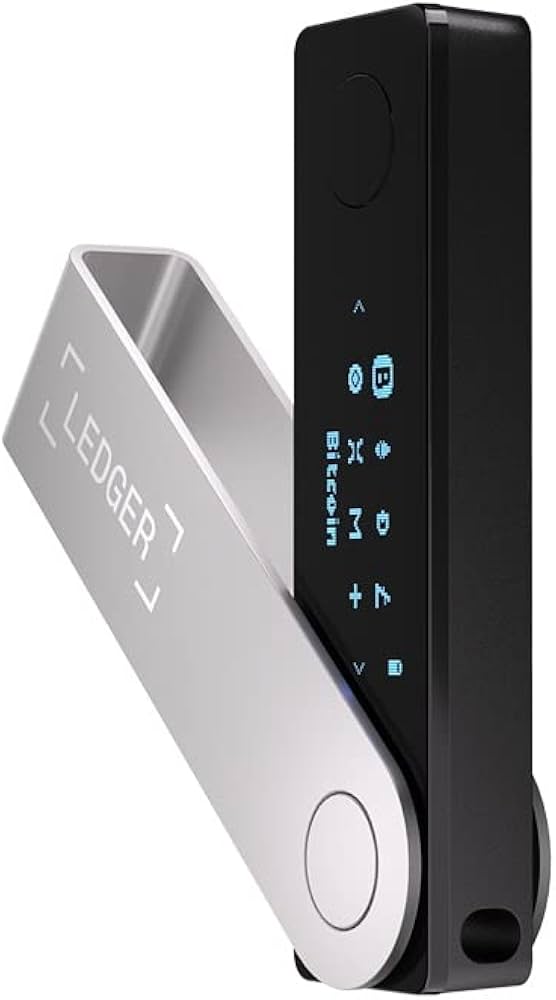
Bluetooth connectivity for mobile use · Secure Element chip for maximum protection · Supports over 5,500 cryptocurrencies including SOL
The Ledger Nano X is the premier choice for users prioritizing both robust security and convenient mobile access to their Solana assets.
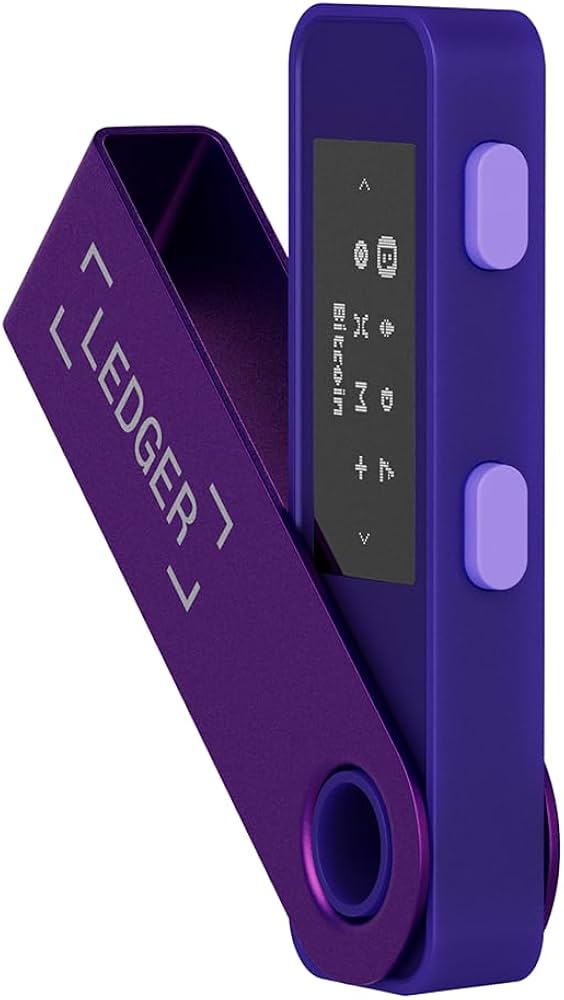
Enhanced security features over the original Nano S · Larger memory capacity for more applications · Direct compatibility with Solana and its ecosystem
For those seeking a highly secure and cost-effective hardware wallet with excellent Solana integration, the Ledger Nano S Plus is an outstanding option.
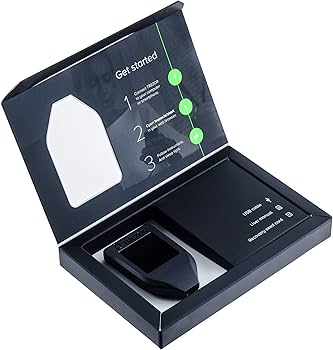
Color touchscreen interface for intuitive operation · Advanced security architecture · Broad altcoin support including Solana via third-party wallets
The Trezor Model T offers a premium user experience with its vibrant touchscreen, providing a secure and accessible gateway to the Solana ecosystem.
As an Amazon Associate I earn from qualifying purchases. Prices may vary.
Phantom & Solflare: Deep Dive
Phantom and Solflare consistently top the lists of best Solana wallets, and for good reason. Both offer a comprehensive suite of features, strong security, and user-friendly interfaces. However, subtle differences set them apart.
Phantom’s interface is often praised for its sleek design and intuitive navigation. It excels at NFT management, with a dedicated NFT gallery and detailed asset information. Recent updates have focused on improving transaction speed and reducing slippage. Their fee estimation algorithm has improved, often providing more accurate estimates than Solflare.
Solflare, on the other hand, has historically been favored by users who prioritize security. They’ve invested heavily in security audits and regularly release updates to address potential vulnerabilities. Solflare’s transaction builder is more powerful, allowing for greater control over transaction parameters. They've improved their UI, closing the gap with Phantom.
Head-to-head, Phantom is generally considered easier for beginners, while Solflare appeals to more experienced users who want greater control. Both wallets now support hardware wallet integration, and their DeFi integrations are largely comparable. The choice ultimately comes down to personal preference and workflow. I’ve found both to be reliable and secure options.
Hardware Wallet Integration: Maximum Security
For the highest level of security, integrating a hardware wallet with your Solana wallet is highly recommended. Hardware wallets, like Ledger Nano S Plus or Trezor Model T, store your private keys offline, making them immune to online attacks. This is known as cold storage.
The setup process generally involves connecting the hardware wallet to your computer, installing the appropriate Solana app on the device, and then connecting it to your Solana wallet (Phantom or Solflare). Both wallets offer seamless integration with popular hardware wallets. You’ll need to confirm transactions on the hardware wallet itself, adding an extra layer of security.
While hardware wallets significantly enhance security, they aren’t foolproof. It’s crucial to purchase hardware wallets directly from the manufacturer to avoid tampered devices. You also need to securely store your recovery phrase, which is used to restore your wallet if the device is lost or damaged. There's always a risk of supply chain attacks, so verifying authenticity is key.
The security benefits are significant. Even if your computer is compromised, your private keys remain secure on the hardware wallet. However, it’s important to remember that hardware wallets don’t protect against phishing attacks or user error. You still need to be vigilant about protecting your seed phrase and avoiding malicious websites.
Mobile Wallet Convenience & Risks
Mobile Solana wallets offer unparalleled convenience, allowing you to manage your SOL and interact with DeFi protocols on the go. Phantom and Solflare both have excellent mobile apps that mirror the functionality of their browser extensions.
However, mobile wallets also introduce additional security risks. Mobile devices are more susceptible to loss, theft, and malware. Phishing attacks are also more prevalent on mobile devices. It’s crucial to take extra precautions to secure your mobile wallet.
Enable biometric authentication (fingerprint or facial recognition) to add an extra layer of security. Use a strong passcode to protect your device. Be cautious about clicking on links in emails or text messages, and only download apps from official app stores. Regularly update your mobile operating system and security software. Consider using a separate device solely for crypto transactions.
While convenient, mobile wallets should be used with caution. For large holdings, it’s generally recommended to store your SOL in a hardware wallet and only use a mobile wallet for smaller transactions.
Emerging Solana Wallet Trends
The Solana wallet space is constantly evolving. Several emerging trends are shaping the future of SOL storage and DeFi interaction. Account abstraction is gaining traction, allowing users to customize their wallet behavior and automate transactions. This could simplify complex DeFi strategies and reduce the risk of errors.
Multi-sig wallets, which require multiple approvals for transactions, are also becoming more popular, particularly for institutional investors and teams managing large treasuries. Social recovery wallets, which allow users to recover their wallets through a network of trusted friends or family, are another promising development. This addresses the issue of lost seed phrases.
Wallets are also adapting to the growing DeFi and NFT ecosystems. We’re seeing increased integration with decentralized exchanges (DEXs), lending protocols, and NFT marketplaces. New features, such as gasless transactions and improved transaction fee estimation, are making DeFi more accessible to mainstream users. The integration of zero-knowledge proofs could further enhance privacy and security.
I anticipate that we’ll see wallets become more modular, allowing users to easily add and remove features as needed. We may also see wallets become more intelligent, offering personalized recommendations and automated investment strategies. The future of Solana wallets is likely to be more secure, user-friendly, and feature-rich.
Wallet Security Checklist: Protect Your SOL
Securing your Solana wallet is paramount. Here’s a comprehensive checklist to help you protect your SOL:
• Seed Phrase Management: Store your seed phrase offline, in a secure location. Never share it with anyone. Consider using a metal seed phrase backup for added durability.
• Phishing Awareness: Be wary of phishing scams. Never click on links in emails or text messages. Always verify the URL before entering your seed phrase or private key.
• Software Updates: Keep your wallet software and operating system up to date. Updates often include security patches.
• Two-Factor Authentication: Enable two-factor authentication (2FA) whenever possible.
• Hardware Wallet: Consider using a hardware wallet for maximum security.
• Strong Passcodes: Use strong, unique passcodes for your devices and wallets.
• Regular Audits: Regularly review your transaction history for any suspicious activity.
• Be Skeptical: If something seems too good to be true, it probably is.
- Seed Phrase Management: Store your seed phrase offline, in a secure location. Never share it with anyone. Consider using a metal seed phrase backup for added durability.
- Phishing Awareness: Be wary of phishing scams. Never click on links in emails or text messages. Always verify the URL before entering your seed phrase or private key.
- Software Updates: Keep your wallet software and operating system up to date. Updates often include security patches.
- Two-Factor Authentication: Enable two-factor authentication (2FA) whenever possible.
- Hardware Wallet: Consider using a hardware wallet for maximum security.
- Strong Passcodes: Use strong, unique passcodes for your devices and wallets.
- Regular Audits: Regularly review your transaction history for any suspicious activity.
- Be Skeptical: If something seems too good to be true, it probably is.
No comments yet. Be the first to share your thoughts!