
Solana Wallets: A Quick Look
If you’re planning to interact with the Solana blockchain – whether it’s swapping tokens on a decentralized exchange, buying NFTs, or participating in DeFi – you’ll need a Solana wallet. Think of it like your digital bank account for the Solana world. It holds your SOL, NFTs, and other tokens, and allows you to authorize transactions. Without a wallet, you simply can’t participate.
The most important distinction to understand is the difference between custodial and non-custodial wallets. Custodial wallets, like those offered by centralized exchanges, hold your private keys for you. This is convenient, but it means you don’t have full control of your assets. Non-custodial wallets, on the other hand, give you complete control. You manage your own private keys, and therefore, your own funds.
Security is paramount. A compromised wallet can lead to the loss of your entire investment. Basic security considerations include strong passwords, enabling two-factor authentication where available, and being extremely cautious about phishing attempts. Understanding the risks is the first step toward protecting your assets. There are two main categories of wallets: software and hardware.
Software wallets are applications you download onto your computer or phone. They’re convenient and generally free to use, but they are more vulnerable to hacking than hardware wallets. Hardware wallets are physical devices that store your private keys offline, providing a much higher level of security. They come at a cost, but for larger holdings, the peace of mind can be well worth it. Choosing the right wallet depends on your needs and risk tolerance.
Top 7 Solana Wallets for 2026
The Solana wallet space is constantly evolving, but several wallets consistently rank among the best. Here’s a breakdown of seven leading options in 2026, with an honest look at their strengths and weaknesses. It’s important to remember that no wallet is perfect, and the best choice depends on your individual needs.
Phantom is arguably the most popular Solana wallet, and for good reason. It’s known for its sleek user interface and excellent support for NFTs. Phantom integrates seamlessly with popular Solana marketplaces like Magic Eden and Tensor, making it easy to buy, sell, and display your digital collectibles. It also supports staking and swapping tokens. However, being a hot wallet, it’s more susceptible to online attacks than hardware options.
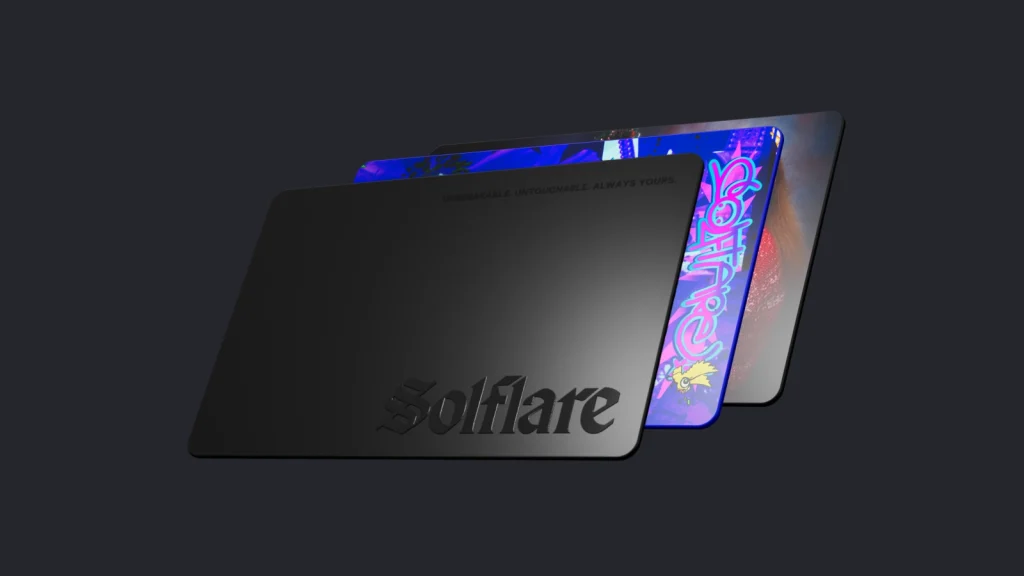
Solflare is another strong contender, offering a similar feature set to Phantom. It also boasts a user-friendly interface and good NFT support. Solflare stands out with its built-in transaction simulator, allowing you to preview transaction costs before signing. It’s also available as a browser extension, which some users prefer. Early reports suggest more robust multi-sig options are coming in late 2026.
Backpack aims to be more than just a wallet; it's positioning itself as a full-fledged Web3 platform. It offers features like a built-in exchange and the ability to manage multiple Solana accounts. Backpack is particularly appealing to DeFi users, but its interface can be overwhelming for beginners. It’s also relatively new compared to Phantom and Solflare, so it’s still evolving.
Trust Wallet, primarily known as a multi-chain wallet, now supports Solana. This is a good option if you hold assets on multiple blockchains and want a single wallet to manage everything. However, its Solana support isn’t as polished as dedicated Solana wallets like Phantom or Solflare. It can feel less integrated into the Solana ecosystem.
For maximum security, Ledger and Trezor are the leading hardware wallet options. These devices store your private keys offline, protecting them from online threats. While they require an upfront investment, they provide peace of mind, especially for long-term holders. Compatibility with Solana has improved significantly in recent years, but setup can be more complex than software wallets. Ledger recently released a new security module in early 2026.
Tonkeeper is a less frequently discussed option, but it's gaining traction. Originally built for the TON blockchain, it added Solana support in 2025. It’s known for its focus on privacy and security, and it offers a streamlined user experience. While it doesn’t have the same level of integration with Solana dApps as Phantom or Solflare, it’s a solid choice for users who prioritize privacy.
Featured Products

Securely manage crypto and NFTs · Connects to desktop and Android · Accessible hardware wallet
This hardware wallet offers robust security features essential for safeguarding your Solana assets during DeFi and NFT trading.

Advanced hardware wallet · Steel seed phrase storage · Comprehensive crypto security
These hardware wallets offer robust security features essential for safeguarding your Solana assets during DeFi and NFT trading.

100% offline cold storage · Air-gapped technology · Supports 10,000+ coins and tokens
These hardware wallets offer robust security features essential for safeguarding your Solana assets during DeFi and NFT trading.
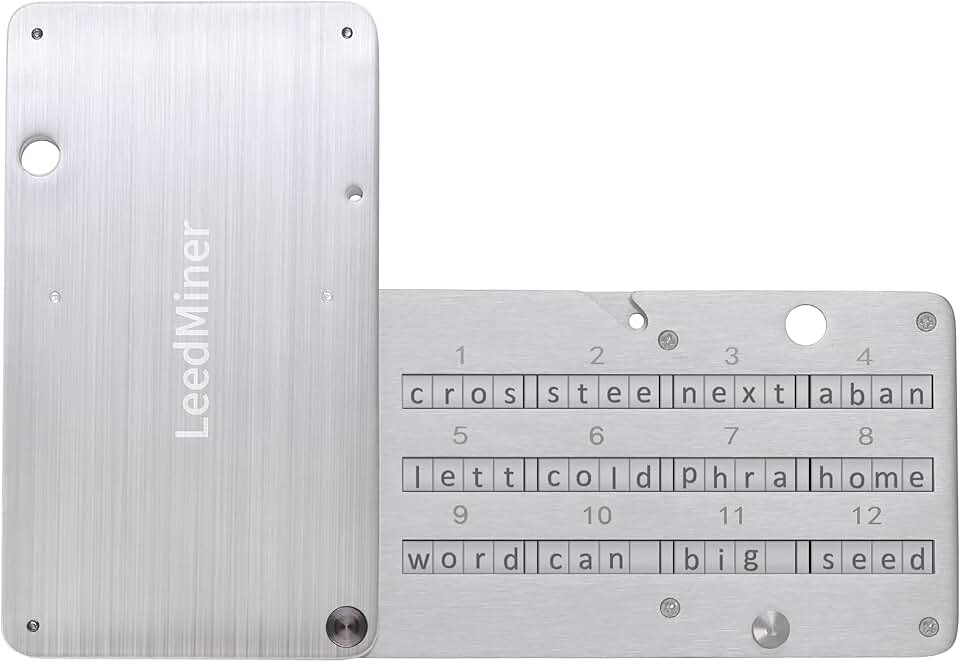
Durable metal plate construction · Fireproof seed phrase backup · Compatible with BIP39 hardware wallets
These hardware wallets offer robust security features essential for safeguarding your Solana assets during DeFi and NFT trading.
As an Amazon Associate I earn from qualifying purchases. Prices may vary.
Security First: Wallet Features to Prioritize
Choosing a wallet is only half the battle. Understanding and utilizing security features is just as important. Your seed phrase – a 12 or 24-word phrase generated when you create a wallet – is the key to your funds. Treat it like the most valuable password you’ll ever have. Never share it with anyone, and store it securely offline. A physical backup, like a metal seed phrase storage device, is highly recommended.
Multi-signature authentication adds an extra layer of security by requiring multiple approvals for transactions. This is particularly useful for shared wallets or high-value transactions. Biometric login, such as fingerprint or facial recognition, can also enhance security, but it shouldn’t be relied upon as your sole security measure. Hardware wallet integration is the gold standard for security.
Phishing attacks are a major threat in the crypto space. Scammers often create fake websites or emails that mimic legitimate wallets or exchanges. Be extremely cautious about clicking on links or entering your seed phrase on any website. Always double-check the URL and verify the sender’s identity. Never trust unsolicited messages offering free tokens or requesting your private information.
Security isn’t just about the wallet itself; it’s about your own behavior. Use strong, unique passwords for all your online accounts, enable two-factor authentication whenever possible, and be wary of suspicious activity. Regularly review your transaction history and revoke access to any dApps you no longer use. Staying informed and vigilant is the best defense against scams.
- Store your seed phrase offline and securely.
- Enable two-factor authentication whenever possible.
- Be cautious of phishing attacks.
- Regularly review your transaction history.
DeFi and NFT Compatibility: What Works Best?
The Solana ecosystem is thriving with DeFi protocols and NFT marketplaces. Some wallets integrate more seamlessly with these platforms than others. Phantom and Backpack consistently receive high marks for their DeFi and NFT support. Phantom’s direct integration with Magic Eden and Tensor simplifies the process of buying, selling, and displaying NFTs.
Solflare also offers excellent DeFi compatibility, with built-in support for popular protocols like Raydium, Orca, and Marinade Finance. Its transaction simulator can be particularly helpful for DeFi users, allowing them to estimate gas fees and slippage before executing trades. Backpack’s built-in exchange is a significant advantage for those actively involved in DeFi.
While Trust Wallet supports Solana DeFi and NFTs, the experience isn’t as smooth as with dedicated Solana wallets. You may need to manually add custom RPC endpoints to connect to certain dApps. Ledger and Trezor, being hardware wallets, require a compatible software interface to interact with DeFi protocols and NFT marketplaces. This adds an extra step to the process, but it provides a higher level of security.
When choosing a wallet, consider your primary use case. If you’re a heavy DeFi user, look for a wallet with built-in swap functionality and integration with your favorite protocols. If you’re an NFT collector, prioritize a wallet with good NFT display options and seamless marketplace integration.
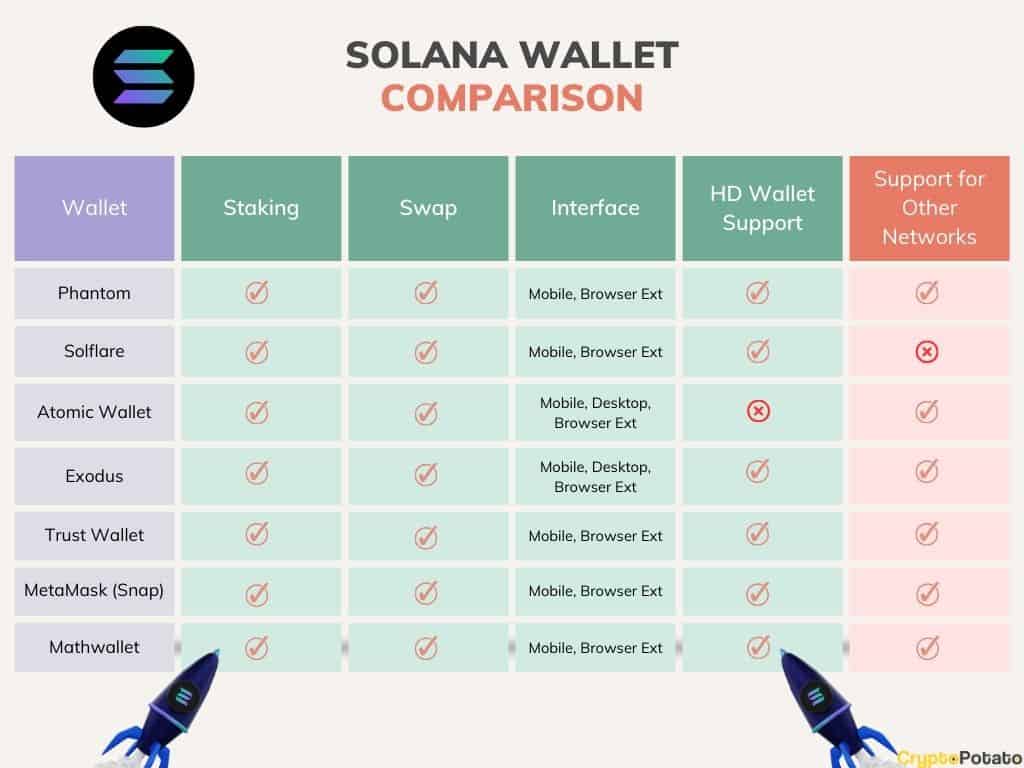
Solana Wallet Comparison - 2026
| Wallet Name | DeFi Integration | NFT Support | Ease of Use | Security |
|---|---|---|---|---|
| Phantom | Excellent | Excellent | Very High | Strong |
| Solflare | Very Good | Excellent | High | Strong |
| Backpack | Good, expanding features | Excellent | Moderate | Good |
| Trust Wallet | Good | Good | High | Moderate |
| Ledger (Hardware) | Good, via Ledger Live | Good | Moderate | Excellent |
| Trezor (Hardware) | Good, via third-party interfaces | Good | Moderate | Excellent |
| CoinLedger | Basic | Good | High | Moderate |
Illustrative comparison based on the article research brief. Verify current pricing, limits, and product details in the official docs before relying on it.
Phantom vs. Solflare: A Head-to-Head
Phantom and Solflare are the two most popular Solana wallets, and both are excellent choices. However, they have distinct strengths and weaknesses. Phantom is often praised for its intuitive user interface and focus on NFTs. It’s incredibly easy to navigate and display your digital collectibles. It’s a great starting point for newcomers to the Solana ecosystem.
Solflare, on the other hand, appeals to more experienced users with its advanced features like the transaction simulator and browser extension. The simulator is a game-changer for DeFi traders, allowing them to avoid unexpected fees. The browser extension provides convenient access to Solana dApps directly from your web browser. Solflare also appears to be investing more heavily in multi-sig support.
In terms of security, both wallets offer similar features, including seed phrase management and biometric login. However, Phantom has faced some scrutiny in the past regarding potential security vulnerabilities, although these have been addressed. Both wallets are actively maintained and regularly updated to address security threats. Community support is strong for both options.
Ultimately, the best wallet for you depends on your priorities. If you value simplicity and NFT support, Phantom is a great choice. If you’re a DeFi power user who wants advanced features and control, Solflare might be a better fit. I recommend trying both wallets to see which one feels more comfortable and meets your needs.
Hardware Wallets: The Extra Layer of Security
Hardware wallets provide the highest level of security for your Solana assets. They store your private keys offline, making them inaccessible to hackers. This is known as cold storage. When you want to make a transaction, you connect the hardware wallet to your computer or phone, and the transaction is signed within the device itself. Your private keys never leave the device.
Ledger and Trezor are the leading hardware wallet manufacturers. Both offer support for Solana, but the setup process can be more complex than with software wallets. You’ll need to download the appropriate Solana app onto your hardware wallet and follow the instructions carefully. It's essential to verify the authenticity of the device and software before connecting it to your computer.
The main trade-offs with hardware wallets are cost and convenience. They typically cost between $100 and $200, and they’re less convenient to use than software wallets. You need to physically connect the device to your computer or phone every time you want to make a transaction. However, for larger holdings, the added security is well worth the investment.
Setting up a hardware wallet with Solana generally involves creating a new wallet on the device, carefully backing up your seed phrase, and then connecting the device to a Solana-compatible software interface. Always refer to the manufacturer’s instructions for the most up-to-date guidance. While I don't have specific compatibility updates for late 2026, both Ledger and Trezor have consistently improved their Solana support.
Staying Safe: Common Solana Wallet Scams
The Solana ecosystem, like any other cryptocurrency space, is a target for scammers. Being aware of common scams is crucial to protecting your assets. Phishing attacks are one of the most prevalent threats. Scammers often create fake websites or emails that mimic legitimate wallets or exchanges, attempting to trick you into entering your seed phrase or private key.
Fake wallet extensions are another common scam. Scammers may create malicious browser extensions that look like legitimate Solana wallets. These extensions can steal your funds or compromise your private keys. Always download wallet extensions from official sources and verify their authenticity.
Malicious dApps can also pose a threat. Some decentralized applications may contain hidden code that can steal your funds or compromise your wallet. Be cautious about interacting with unfamiliar dApps and always review the transaction details carefully. Social engineering tactics, such as pretending to be a support representative, are used to trick users into revealing sensitive information.
To avoid falling victim to scams, always double-check URLs, verify the sender’s identity, and never share your seed phrase or private key with anyone. Be wary of unsolicited messages offering free tokens or requesting your personal information. If something seems too good to be true, it probably is.
Beyond the Basics: Advanced Wallet Features
For more experienced Solana users, some wallets offer advanced features that can enhance security and functionality. Account abstraction allows you to create wallets with custom logic and security rules. Transaction simulation lets you preview the outcome of a transaction before signing it, helping you avoid errors and unexpected fees. WalletConnect integration enables you to connect your wallet to various dApps and Web3 platforms seamlessly.
These features are not essential for beginners, but they can be valuable tools for those who want to take their Solana experience to the next level. Exploring these options can unlock new possibilities and provide greater control over your assets.
No comments yet. Be the first to share your thoughts!