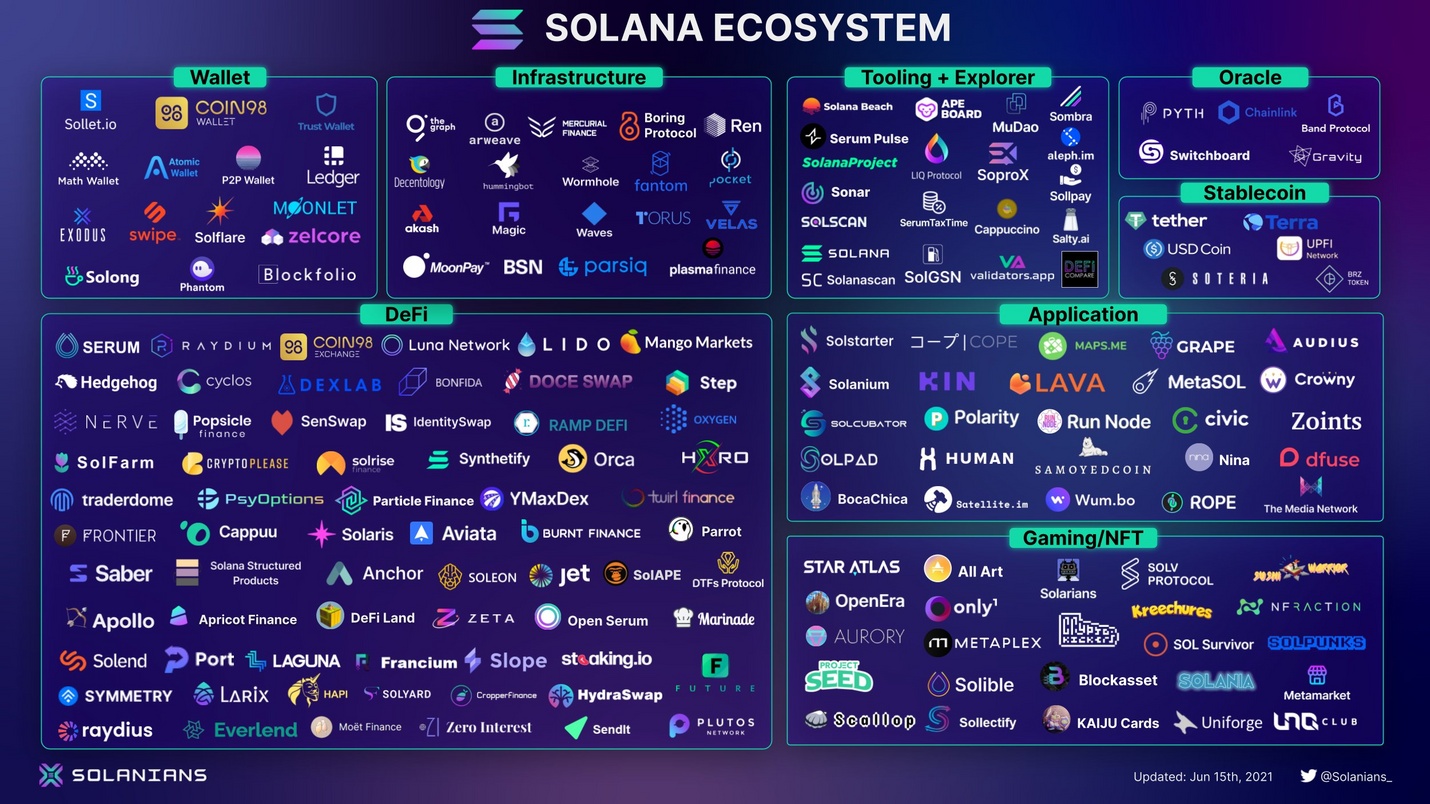

How we picked the best Solana wallets
We evaluated Solana wallets based on three core criteria: security architecture, user interface clarity, and DeFi compatibility. Our selection process prioritizes wallets that have undergone transparent security audits and maintain official compatibility with the Solana Foundation’s ecosystem standards.
Security remains the primary differentiator. We distinguish between hot wallets, which connect to the internet for daily transactions, and cold storage solutions, which keep private keys offline. For high-stakes risk management, we emphasize the importance of seed phrase security. Hardware options provide the highest level of protection by isolating private keys from network-connected devices, making them the recommended choice for significant holdings.
DeFi compatibility ensures that your wallet can interact seamlessly with Solana-based decentralized exchanges, lending protocols, and NFT marketplaces. We verified that each recommended wallet supports the latest Solana standards, allowing for smooth token swaps and staking operations without technical friction.
To help you verify the legitimacy of any Solana wallet before installation, use this checklist:
- Verify the official website URL against the Solana Foundation’s approved list.
- Check for recent security audit reports from reputable firms.
- Confirm that the wallet is open-source or has a transparent development history.
- Ensure the wallet supports hardware integration for cold storage options.
- Review the privacy policy to confirm that no personal data is shared with third parties.
Phantom: The Best Overall Solana Wallet
Phantom stands as the default entry point for most Solana users, serving a user base that exceeds 15 million. Its dominance stems from a balance of intuitive design and deep protocol integration. Unlike generic multi-chain wallets that often feel cluttered, Phantom is optimized specifically for the Solana ecosystem, providing a streamlined interface for managing tokens, NFTs, and decentralized applications (dApps).
The wallet’s architecture prioritizes security without sacrificing accessibility. It employs strict key management protocols, ensuring that private keys remain encrypted and stored locally on the user’s device. For high-stakes risk awareness, Phantom supports hardware wallet integration, allowing users to sign transactions securely using devices like Ledger or Trezor. This hybrid approach is essential for anyone holding significant value, as it mitigates the risks associated with hot wallets while maintaining the ease of daily trading.
Phantom’s DeFi integration is comprehensive. It provides native access to major Solana-based exchanges, lending platforms, and NFT marketplaces. Users can swap tokens, stake SOL directly from the interface, and browse digital collectibles without leaving the app. This centralized hub reduces the friction often found in the Solana ecosystem, where navigating between different browser extensions can be cumbersome.
For users prioritizing physical security, Phantom offers a dedicated hardware solution. The Phantom Vault key provides a secure, offline method for storing seed phrases and signing transactions, bridging the gap between the convenience of a hot wallet and the safety of cold storage.

Phantom vs. Solflare: A Quick Comparison
While Phantom is the market leader, Solflare remains a strong competitor, particularly for users who prioritize transparency and open-source code. The following table compares the two top contenders based on key features relevant to Solana users.
| Feature | Phantom | Solflare |
|---|---|---|
| User Base | 15M+ | 1M+ |
| Hardware Support | Ledger, Trezor, Phantom Vault | Ledger, Trezor |
| NFT Viewer | Integrated | Integrated |
| Open Source | No | Yes |
| Multi-Chain | Yes (EVM, Polygon, etc.) | No (Solana only) |
Best for DeFi power users: Solflare
Solflare operates as a primary gateway for Solana’s decentralized finance ecosystem, designed specifically for users who require granular control over their assets. Unlike wallets that prioritize simplicity for casual browsing, Solflare provides a comprehensive suite of tools for staking, portfolio analytics, and transaction management. It is the preferred choice for advanced users who need to interact with complex dApps without sacrificing security.
The wallet’s staking interface is particularly robust, allowing users to delegate SOL to validators directly within the application. This integration simplifies the process of earning yield while maintaining full custody of private keys. Solflare also offers detailed portfolio tracking, giving users a clear view of their asset allocation across various Solana-based tokens and NFTs. This level of transparency is essential for power users who manage diverse portfolios and need real-time data to make informed decisions.
Security remains a top priority, with Solflare supporting hardware wallet integration for cold storage. This feature ensures that private keys are never exposed to internet-connected devices, providing an additional layer of protection against phishing and malware. By combining advanced DeFi functionality with institutional-grade security, Solflare serves as a reliable foundation for serious Solana participants.
Best cold storage for Solana: Ledger
For long-term holding, hardware wallets provide the highest standard of security by keeping private keys offline. Ledger devices, specifically the Nano X and the newer Nano S Plus, are widely recognized as the most reliable cold storage options for Solana. Because these devices are physical, they offer a layer of protection against remote hacking attempts that software-only solutions cannot match.
The Ledger Nano X connects via Bluetooth to mobile devices, allowing you to manage your Solana portfolio on the go while maintaining cold storage security. The Nano S Plus offers a larger screen and more storage for applications but requires a USB-C connection. Both devices integrate with the Ledger Live desktop and mobile applications, which serve as the primary interface for viewing balances and managing Solana tokens.
Security depends on your handling of the recovery phrase. Ledger devices generate a 24-word seed phrase during setup, which is the only way to restore your funds if the device is lost or damaged. You must store this phrase physically and never digitally. Ledger Live acts as a viewer; it never has access to your private keys, ensuring that your assets remain secure even if your computer is compromised.


As an Amazon Associate, we may earn from qualifying purchases.
Solana Wallet Comparison Table
Choosing the right Solana wallet depends on your balance between daily trading convenience and long-term asset security. The table below compares three primary contenders: Phantom, Solflare, and Ledger. Phantom and Solflare are hot wallets, meaning they are always connected to the internet, while Ledger is a cold storage hardware device that keeps your private keys offline.
| Feature | Phantom | Solflare | Ledger (Nano X/S) |
|---|---|---|---|
| Security Type | Hot Wallet (Software) | Hot Wallet (Software) | Cold Storage (Hardware) |
| Platform Support | Mobile, Desktop, Browser Extension | Mobile, Desktop, Browser Extension | Desktop (USB/Bluetooth) |
| DeFi Access | Native DEX, NFTs, Staking | Native DEX, NFTs, Staking | Via Ledger Live + DApp Browser |
| Seed Phrase Storage | Digital Backup / Encrypted | Digital Backup / Encrypted | Physical Paper/Engraving |
Hot wallets like Phantom and Solflare offer seamless integration with Solana’s decentralized applications, making them ideal for active traders who frequently interact with DeFi protocols or NFT marketplaces. However, this constant connectivity increases exposure to phishing and malware. Ledger devices mitigate this risk by signing transactions offline, ensuring that even if your computer is compromised, your private keys remain secure. For high-stakes holdings, hardware wallets are the only option that fully isolates your seed phrase from digital threats.
| Feature | Phantom | Solflare | Ledger |
|---|---|---|---|
| Security Type | Hot Wallet (Software) | Hot Wallet (Software) | Cold Storage (Hardware) |
| Platform Support | Mobile, Desktop, Browser Extension | Mobile, Desktop, Browser Extension | Desktop (USB/Bluetooth) |
| DeFi Access | Native DEX, NFTs, Staking | Native DEX, NFTs, Staking | Via Ledger Live + DApp Browser |
| Seed Phrase Storage | Digital Backup / Encrypted | Digital Backup / Encrypted | Physical Paper/Engraving |
Frequently asked questions about Solana wallets
Is Phantom wallet legal in the US?
Yes, Phantom is legal to use in the United States. The wallet itself is a non-custodial interface, meaning it does not hold your funds or control your private keys. However, users are required to report taxable income generated from cryptocurrency transactions on Phantom and other platforms to the IRS. Compliance with tax laws remains the user's responsibility regardless of the wallet provider.
Where should I hold my Solana?
Storage strategy depends on your access needs and security risk tolerance. For daily trading and DeFi interactions, hot wallets like Phantom or Solflare offer necessary liquidity and speed. For long-term holdings, hardware (cold) wallets such as Tangem or Ledger provide maximum protection against online threats. Moving assets to a cold wallet reduces exposure to exchange hacks and phishing attacks, serving as the primary defense for significant capital.
Can I use a Solana wallet for DeFi and NFTs?
Yes, most Solana wallets are designed to integrate directly with decentralized finance (DeFi) protocols and NFT marketplaces. Phantom and Solflare support direct swapping, staking, and interaction with dApps through built-in bridges. This functionality allows users to manage assets across the Solana ecosystem without leaving the wallet interface, though users should always verify contract addresses to avoid malicious smart contracts.
No comments yet. Be the first to share your thoughts!