
How to pick a Solana wallet
Choosing a Solana wallet means balancing three main factors: security, user interface, and compatibility with decentralized applications. Since Solana handles high transaction volumes, the right wallet needs to process transactions efficiently without becoming a bottleneck. Your choice determines how easily you can interact with the ecosystem and how safely your assets are protected.
Security is the foundation. Look for wallets that support hardware integration, such as Ledger or Trezor, if you hold significant value. For everyday use, prioritize wallets with clear security settings and transparent update histories. Phantom and Solflare are widely recognized for their robust security frameworks and regular audits, making them reliable starting points for most users.
User experience matters just as much. A cluttered interface can lead to mistakes, such as sending tokens to the wrong address. The best wallets offer a clean dashboard, easy token management, and straightforward transaction confirmations. Phantom is often praised for its intuitive design, while Solflare provides detailed controls for advanced users who want to tweak transaction fees and priorities.
Finally, ensure the wallet supports the dApps you plan to use. Solana’s ecosystem includes NFT marketplaces, DeFi platforms, and gaming apps. A wallet that doesn’t support specific token standards or dApp connections will limit your options. Always check the wallet’s official website or the Solana wallet directory for a list of supported applications before committing.
Phantom: Best for Daily DeFi Use
Phantom is the default starting point for most new Solana users. It combines a clean interface with deep integration into the Solana ecosystem, making it easy to manage tokens, NFTs, and decentralized applications in one place. With over 15 million users, it has become the standard for interacting with Solana-based services. The wallet is designed for speed, offering quick transaction confirmations and lower fees compared to many other blockchain networks. This efficiency makes it ideal for daily activities like trading, staking, or browsing dApps.
The user experience is smooth and intuitive. Phantom’s interface is simple enough for beginners but powerful enough for experienced users. It supports SPL tokens, token metadata, and efficient transaction signing, which are protocol-level features unique to Solana. This means you can interact with a wide range of dApps without dealing with complex setups or high gas fees. The wallet also provides seamless access to NFTs, allowing you to view, store, and trade digital collectibles with ease.
Security is built into the design. Phantom uses industry-standard encryption and offers features like biometric authentication and transaction signing previews. This helps protect your assets while you interact with the Solana ecosystem. The wallet is open-source, which adds an extra layer of transparency and trust. You can verify the code and ensure that your private keys are never exposed to third parties.
For those who want to explore the Solana ecosystem further, Phantom is the most reliable tool. It integrates with most major dApps, from decentralized exchanges to NFT marketplaces, making it a versatile choice for any user. Whether you are a beginner or an experienced trader, Phantom provides the tools you need to manage your crypto assets efficiently.

Solflare: Best for Staking and Rewards
Solflare stands out as a dedicated home for Solana holders who want to earn passive income without complex setup. Unlike multi-chain wallets that spread their focus, Solflare is built specifically for the Solana ecosystem. This specialization means the interface is streamlined for what SOL users actually do: hold tokens, stake assets, and manage NFTs.
The wallet’s native staking feature is its strongest draw. You can delegate your SOL to validators directly from the dashboard with a few clicks. Solflare handles the technical details, such as choosing reputable validators and managing unstaking periods, so you can start earning rewards immediately. This simplicity makes it an excellent choice for beginners who want exposure to staking yields without running their own infrastructure.
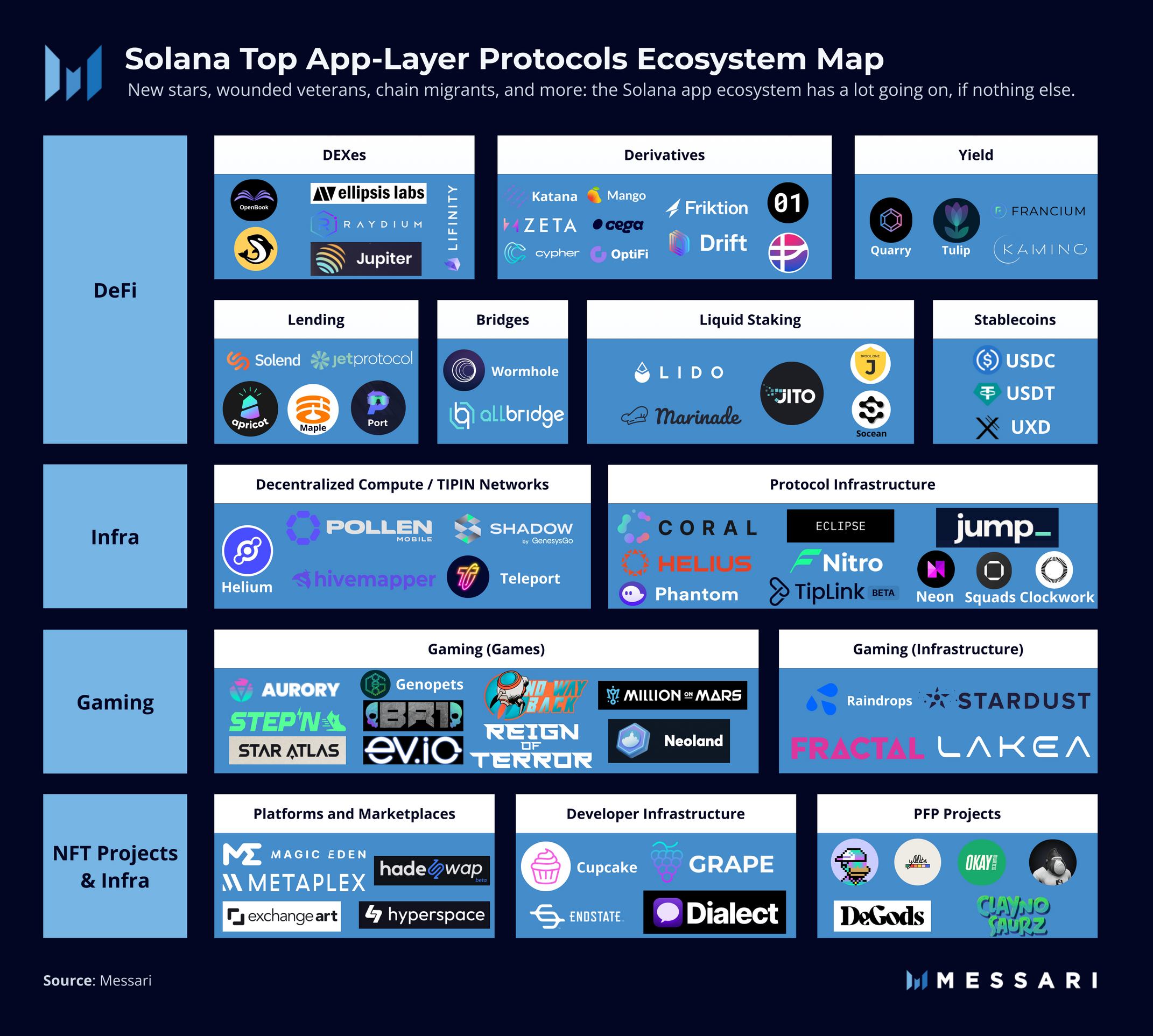
Image: Solana Ecosystem
Beyond staking, Solflare offers robust token management. It supports SPL tokens natively, meaning you can view and transfer a wide variety of Solana-based assets seamlessly. The interface is clean and intuitive, avoiding the clutter that often comes with wallets trying to support dozens of different blockchain networks. If your primary goal is to grow your SOL holdings through staking rewards while maintaining a simple user experience, Solflare is a top-tier option.

Hardware wallets for cold storage
If you plan to hold Solana (SOL) for the long term, moving your assets off the internet is the smartest move you can make. Hardware wallets are physical devices that keep your private keys offline, making it nearly impossible for hackers to steal your funds remotely. Think of it like putting your savings in a bank vault rather than leaving cash in your pocket.
For Solana users, the two most reliable options are Ledger and Trezor. Both brands have updated their firmware and companion apps to support Solana natively, meaning you can manage your SOL, NFTs, and SPL tokens directly from the device without relying on third-party software.
Ledger Nano X
The Ledger Nano X is a popular choice because it connects via Bluetooth, allowing you to manage your Solana assets from your phone as well as your computer. It supports a wide range of cryptocurrencies and offers a robust security chip that isolates your private keys from potential malware.
Trezor Model T
The Trezor Model T features a touchscreen interface, which can make verifying transaction details on the device itself easier to read. It is open-source, meaning security experts can audit its code, and it integrates seamlessly with popular Solana wallets like Phantom for added convenience.


As an Amazon Associate, we may earn from qualifying purchases.
Quick comparison of top wallets
Choosing between Phantom and Solflare often comes down to which features matter most to your workflow. Both are excellent software wallets, but they handle security and token support slightly differently. If you are storing larger amounts, adding a hardware option like Ledger provides an extra layer of protection.
Use the table below to compare the core features of the most popular Solana wallets side by side.
| Wallet | Type | Security | Staking | Multi-Chain |
|---|---|---|---|---|
| Phantom | Software | Biometric / Passphrase | Yes (SOL, mSOL, jitoSOL) | Yes (Solana, Ethereum, Polygon, Base) |
| Solflare | Software | Biometric / 2FA | Yes (SOL, jitoSOL, Lido) | No (Solana only) |
| Ledger | Hardware | Secure Element / Physical | Yes (via companion apps) | Yes (5,500+ assets) |
For the hardware option, Ledger is a physical device that keeps your keys offline. You can purchase it directly through authorized retailers.


As an Amazon Associate, we may earn from qualifying purchases.
Phantom and Solflare are free to download, while Ledger requires an upfront purchase for the device itself. Consider your daily usage: if you trade frequently on Ethereum or Polygon alongside Solana, Phantom’s multi-chain support is a major advantage. If you prefer a dedicated Solana experience with deep staking options, Solflare is a strong contender.
Secure your Solana assets now
Getting your Solana wallet set up is the most important step in protecting your crypto. Follow these three steps to ensure your keys stay yours and your assets are safe.
Only install wallets from official sources like phantom.app or solflare.com. Avoid third-party links or app store clones that could steal your data. Verify the publisher details before downloading.
Your 12-word recovery phrase is the only way to regain access if you lose your device. Write it on paper and store it in a secure physical location. Never store it digitally or share it with anyone.
Send a tiny amount of SOL to your new wallet first. Confirm you can receive it and view the balance correctly. This simple check ensures your backup phrase works before you move significant funds.
For hardware security, consider dedicated devices that keep your private keys offline.


As an Amazon Associate, we may earn from qualifying purchases.
Is Phantom the best Solana wallet?
Phantom is widely considered the top choice for Solana users, particularly beginners. It integrates seamlessly with the Solana blockchain, supporting protocol-level features like SPL tokens and efficient transaction signing that other chains lack. This results in faster confirmations and lower fees compared to many other networks.
The wallet is praised for its user-friendly interface and extensive dApp compatibility, making it ideal for daily use. However, it is primarily a software wallet, so it does not offer the same level of cold storage security as hardware options. For most new users, Phantom provides the best balance of ease of use and functionality.
No comments yet. Be the first to share your thoughts!