
Choosing a Solana Wallet for Your Budget
Selecting a Solana wallet is less about finding the "best" option and more about matching the device to your specific budget and risk tolerance. The market splits into two distinct categories: hot wallets for daily trading and cold storage for long-term holding. Your choice depends on how often you interact with the network and how much capital you are willing to expose to potential digital threats.
For everyday transactions, Phantom and Solflare offer the most seamless experience. These browser extensions and mobile apps connect directly to Solana dApps, allowing you to swap tokens, stake SOL, and manage NFTs without leaving the interface. They are free to use, but because they are connected to the internet, they are more vulnerable to phishing attacks. If you plan to trade frequently, a hot wallet is a necessary convenience, but you should never store your life savings in one.
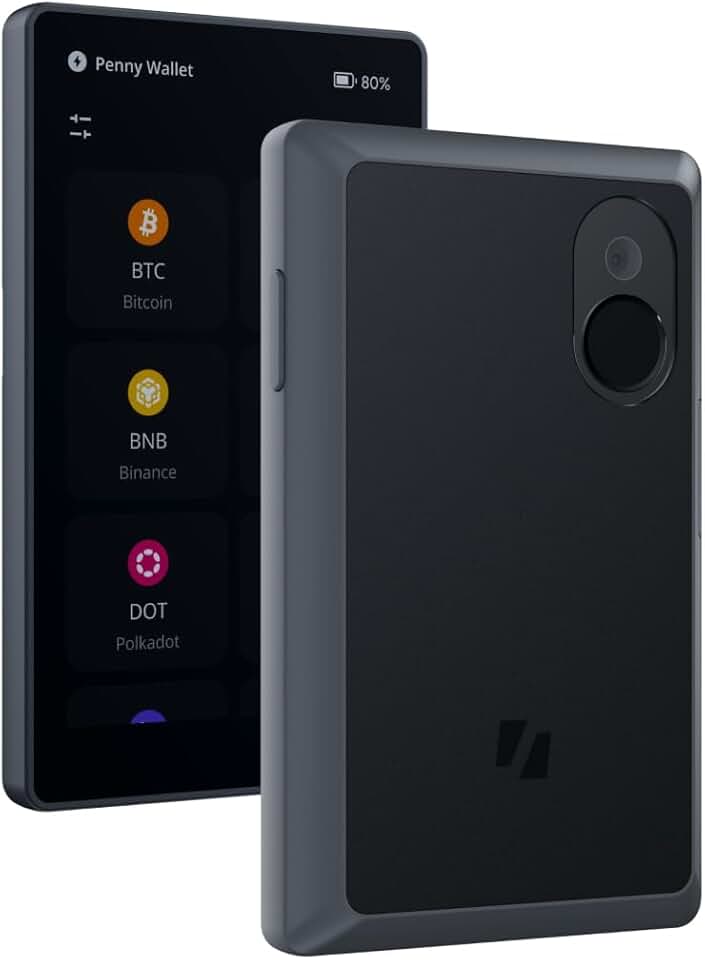
When security becomes the priority, hardware wallets like Ledger and Keystone provide a physical barrier between your private keys and online threats. These devices require you to physically confirm every transaction on the device’s screen, making remote hacking significantly harder. While this adds a layer of friction, it is the only reliable way to protect large positions from exchange collapses or smart contract exploits. For most users, a hybrid approach works best: keep a small amount in a hot wallet for liquidity and move the rest to cold storage.


As an Amazon Associate, we may earn from qualifying purchases.
The tradeoff is clear: convenience versus security. Hot wallets offer speed and ease of use for active traders, while cold storage provides peace of mind for long-term holders. Evaluate your usage patterns honestly. If you are buying Solana to hold for years, start with a hardware wallet. If you are actively participating in DeFi or trading memecoins, prioritize a robust hot wallet and consider adding cold storage as you accumulate more assets.
Shortlist real options
Finding the right Solana wallet means balancing ease of use with security. The ecosystem has matured significantly, offering distinct choices for different needs. Some wallets prioritize a smooth interface for beginners, while others focus on advanced security for high-value holdings.
We have evaluated the most reliable options based on user base, security features, and native Solana integration. The following comparison highlights the strengths of the top contenders to help you make an informed decision.
| Wallet | Platform | Custody | Best For |
|---|---|---|---|
| Phantom | Mobile & Desktop | Non-Custodial | General use & NFTs |
| Solflare | Mobile & Desktop | Non-Custodial | Staking & Security |
| Ledger | Hardware | Hardware | Cold storage |
Phantom remains the dominant choice for most users, serving over 15 million accounts with a clean, intuitive interface. It supports Solana, Ethereum, and Polygon, making it a versatile hub for multi-chain assets. Its built-in swap feature and NFT gallery provide a seamless experience for everyday transactions.
Solflare offers a robust alternative with a strong focus on security and staking. It provides advanced features like transaction simulation and hardware wallet integration, appealing to users who prioritize control over their keys. Its interface is slightly more technical but highly functional for DeFi interactions.
For maximum security, Ledger hardware wallets offer cold storage solutions. By keeping private keys offline, they protect against online threats like phishing and malware. This option is ideal for long-term holders who do not need frequent access to their assets.
Inspect the expensive parts
Solana’s speed and low fees make it easy to move assets quickly, but that same velocity amplifies the cost of errors. A single wrong address or unverified smart contract interaction can drain a wallet in seconds. Treat your Solana setup like a high-value transaction: verify every detail before you sign.
This checklist focuses on the failure points that cost users the most money. Start with the entry point—your wallet—and work outward to the dApps you connect.
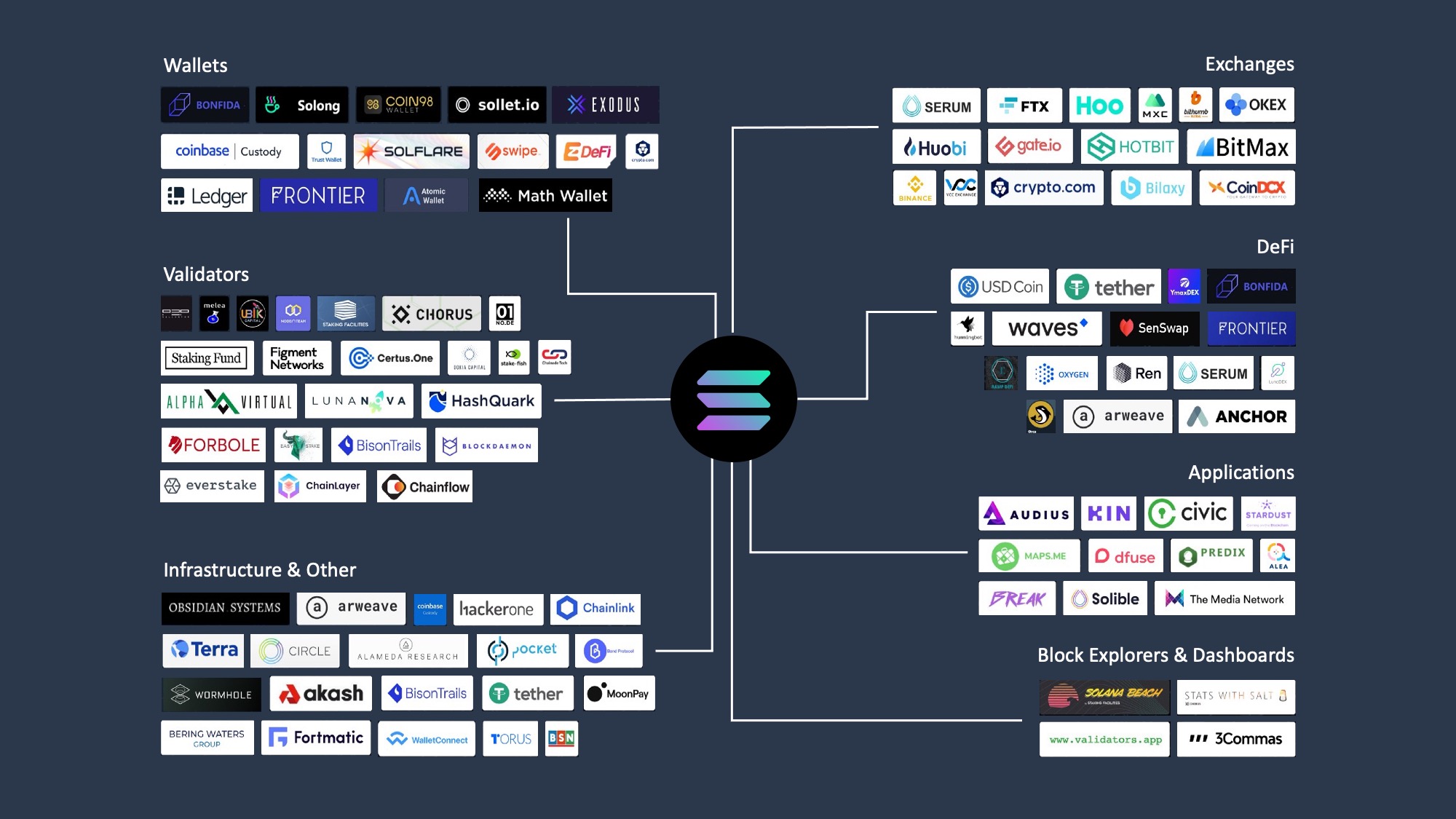
Only download wallets like Phantom or Solflare from their official domains or verified app stores. Malicious lookalikes are common. Immediately write down your 12 or 24-word recovery phrase on paper and store it offline. Digital screenshots or cloud notes are vulnerable to malware.

Before interacting with a new DeFi platform or NFT mint, review the token approval requests. Solana allows programs to spend your tokens on your behalf. Revoke unnecessary permissions regularly using tools like SolanaFM or the wallet’s built-in security center to prevent unauthorized drains.
Always copy-paste addresses rather than typing them. Double-check the first and last four characters. If you are sending a large amount, send a small test transaction first to confirm the address is correct and the network is functioning normally.
Keep the majority of your SOL and valuable NFTs in cold storage like Ledger or Keystone. These devices sign transactions offline, protecting your keys from computer viruses and phishing sites. Use a hot wallet only for the daily spending amount you are willing to lose.
Plan for ownership costs
A wallet’s sticker price is just the entry fee. The real cost of ownership comes from the hidden friction of maintenance, security, and accessibility. If a cheap hardware wallet requires a complex setup or frequent software updates, it may cost you more in time and risk than a premium alternative.
The hardware tax
Hardware wallets like Ledger or Keystone offer the highest security but introduce a "hardware tax." You are paying for physical security, but you also pay for the inconvenience of plugging in a device for every transaction. This friction is worth it for long-term holding, but it becomes expensive in terms of time if you trade frequently.
Software wallet realities
Hot wallets like Phantom or SolFlare are free to download, but they carry a different kind of cost: exposure. They are convenient for daily use but rely on your device’s security. If your computer is compromised, your funds are at risk. The "cost" here is the constant vigilance required to keep your seed phrase offline and your software updated.
When cheap stops being cheap
Avoid wallets that charge hidden fees for basic functions like staking or NFT management. Some platforms may offer low transaction fees but charge high spreads on swaps or require paid subscriptions for advanced features. Always check the fee structure for staking rewards and NFT minting before committing.

As an Amazon Associate, we may earn from qualifying purchases.
Solana wallets: common: what to check next
Choosing the right Solana wallet often comes down to balancing convenience with security. Most users start with a hot wallet for daily transactions, while those holding larger values typically add a cold storage layer.
What is the best Solana wallet for beginners?
Phantom and Solflare are the most popular choices for new users. Both offer intuitive interfaces, support for NFTs, and built-in staking features. Phantom currently serves over 15 million users, making it a standard entry point for the ecosystem.
Can I use a hardware wallet with Solana?
Yes. Hardware wallets like Ledger and Keystone provide offline cold storage for maximum security. You can connect these devices to hot wallets like Phantom or Solflare to sign transactions securely without exposing your private keys to the internet.
How do I stake SOL directly from my wallet?
Most Solana wallets, including Phantom and Solflare, have built-in staking interfaces. You can delegate your SOL to validators directly within the app to earn rewards. There is usually no minimum amount required, and rewards are distributed automatically.
Is it safe to hold all my Solana in one wallet?
It is generally safer to split your holdings. A common strategy is to use a hot wallet for frequent trading and spending, and a cold wallet for long-term storage. This limits exposure if your primary device is compromised.
No comments yet. Be the first to share your thoughts!