
Budget Solana Wallets: Hardware and Software Options
Choosing a Solana wallet depends on how much you value security versus convenience. For most users, the tradeoff is simple: hardware wallets offer the highest protection for long-term staking, while software wallets provide instant access for active trading. Neither option is free, but the costs are manageable relative to the potential rewards of staking SOL.
Hardware Wallets for Cold Storage
Cold storage is the safest way to hold Solana, keeping your private keys offline and away from internet-based threats. Ledger and Keystone are the most reliable options for this purpose. A Ledger Nano X or S Plus typically costs between $70 and $100. This upfront investment protects your staking rewards from exchange hacks or phishing scams. The device acts as a physical signature, ensuring that even if your computer is compromised, your SOL remains secure.
Software Wallets for Active Use
If you plan to trade frequently or interact with Solana DeFi platforms, a software wallet is more practical. Phantom and Solflare are the leading choices, and both are free to download. Phantom offers a sleek interface and deep integration with the Solana ecosystem, making it ideal for beginners. Solflare provides advanced features like portfolio tracking and staking delegation directly within the app. While free, these wallets rely on your device’s security, so keeping your phone or computer updated is essential.
The Three-Wallet Strategy
For serious stakers, a hybrid approach balances security and usability. Use a hardware wallet for your main staking balance, a software wallet for daily transactions, and a third, isolated device or cold backup for emergency recovery. This system minimizes risk without sacrificing the ability to participate in Solana’s staking ecosystem. Start with one software wallet to learn the ropes, then graduate to a hardware wallet as your holdings grow.
Shortlist real options
Choosing a Solana wallet depends on whether you prioritize ease of use for daily trading or security for long-term holding. The market has consolidated around a few reliable platforms that support staking, NFT management, and decentralized application (dApp) connections.
Phantom remains the dominant choice for most users. It offers a polished interface, fast transaction speeds, and robust support for the Solana ecosystem, including built-in staking features. Solflare is a strong alternative, particularly for users who prefer a more minimalist design or need advanced security options like hardware wallet integration. For those seeking maximum security, hardware wallets like Ledger provide offline storage, though they require a companion app like Phantom or Solflare to interact with dApps.
The table below compares the key features of the leading Solana wallets to help you decide which fits your needs.
| Wallet | Custody | Staking | Hardware Support | Best For |
|---|---|---|---|---|
| Phantom | Self-custody | Yes (One-click) | Ledger, Keystone | General use & DeFi |
| Solflare | Self-custody | Yes (Multi-sig) | Ledger, Trezor | Security & NFTs |
| Backpack | Self-custody | Yes | Backpack One | Experimental features |
| Ledger | Cold storage | Via app | Native | Long-term holding |
| Exodus | Self-custody | Yes | Ledger | Beginners & multi-chain |
When selecting a wallet, consider how you plan to use your Solana. If you are actively trading or participating in DeFi, Phantom’s seamless dApp integration is hard to beat. For larger holdings, combining a self-custody hot wallet for daily transactions with a cold storage solution like Ledger reduces risk significantly. Always verify the official download links to avoid phishing sites, as the Solana ecosystem is a frequent target for scams.
Inspect the expensive parts
Solana’s speed creates a specific risk profile: transactions confirm quickly, but errors are equally fast. If you send tokens to the wrong address or sign a malicious transaction, there is no undo button and no central bank to reverse it. Most losses come from user error or compromised keys, not protocol failure. Treat your wallet setup like a physical vault inspection. You are looking for the weak points before they are exploited.
Verify the seed phrase origin
Never write down a seed phrase on a device connected to the internet. If you generated your wallet on a computer or phone, you must manually copy the 12 or 24 words onto paper or metal. Do not screenshot it. Do not save it in a notes app. If the seed phrase was ever displayed on a screen, assume it is compromised. This is the single most expensive mistake a Solana user can make.
Check for hidden permissions
Solana wallets like Phantom and Solflare allow dApps to request permissions. A malicious site can ask to view your balance or even sign transactions on your behalf. Before connecting to a new DeFi platform or trading bot, review the active permissions. Revoke access for any app you no longer use. Leaving old permissions open is like leaving a spare key under the mat.
Confirm the correct network
Solana has multiple networks: mainnet-beta, testnet, and devnet. Sending SOL or SPL tokens to a testnet address results in permanent loss. Always double-check that your wallet is connected to the mainnet. Some wallets allow you to switch networks easily; others require you to change settings in the wallet’s configuration menu. A simple toggle error can send your entire portfolio into the void.
Test with a small amount
Before moving your full stake, send a small test amount (e.g., 0.01 SOL) to the destination address. Verify that it arrives correctly. This step catches typos in addresses, wrong network selections, and incorrect token decimals. It costs pennies in fees but saves thousands in potential losses.
Secure the recovery phrase offline
Store your seed phrase in a fireproof safe or a metal backup plate. Do not rely on a single copy. Keep one backup in a secure location and a second in a different, secure location. If you lose access to your device, the seed phrase is the only way to recover your funds. Without it, your Solana is gone forever.
Review transaction details before signing
Solana transactions often involve complex interactions. A trading bot might request approval to spend an unlimited amount of a token. Always read the details in your wallet popup. Check the "Spend Limit" and the recipient address. If the details do not match your intent, cancel the transaction immediately.
Keep software updated
Wallet developers release updates to fix security vulnerabilities and improve compatibility with new Solana features. Outdated wallets may not support the latest SPL token standards or may have known security flaws. Enable auto-updates in your browser or app store to ensure you are always running the latest version.
Plan for ownership costs
A wallet that costs nothing to download can still carry hidden expenses. Your total ownership cost includes the hardware price, the time spent managing updates, and the fees attached to every transaction. Ignoring these factors turns a "free" software wallet into a liability when you need to move assets quickly or recover access.
Hardware wallets like Ledger or Keystone require an upfront investment, but they remove the risk of remote hacking. If you lose your device, recovery depends entirely on your seed phrase. Software wallets like Phantom or Solflare are free but live on devices connected to the internet, making them vulnerable to phishing or malware. The trade-off is convenience versus security. For most users, a hybrid approach works best: keep the bulk of your SOL in cold storage and use a hot wallet for daily trading.
Maintenance is another silent cost. Wallets require regular updates to patch security vulnerabilities. If you ignore these updates, your wallet may become incompatible with newer Solana programs or dApps. Additionally, you must pay network fees (lamports) for every transaction, staking operation, or swap. While Solana fees are low, they add up over time, especially if you are actively staking or swapping tokens.
When a cheap buy stops being cheap, it is usually because you paid for convenience at the expense of security or control. If you are holding significant value, the cost of a hardware wallet is negligible compared to the potential loss from a compromised hot wallet. Always factor in the time and effort required to manage your keys, not just the dollar amount of the device.
Solana Wallet FAQs
Choosing the right wallet depends on whether you prioritize ease of use for daily trading or long-term security for staking. Here are the most common questions readers ask before making a decision.
Which wallet is the best for Solana?
Phantom is widely considered the best overall Solana wallet for most users. It offers the most intuitive interface, strong NFT support, and seamless integration with DeFi platforms. For those needing advanced features, Backpack Wallet provides robust developer tools and security options. If you prefer mobile-first access, Solflare remains a strong, reliable alternative.
Is Phantom or Solflare better?
Phantom generally wins on user experience and feature breadth, including built-in token swaps and a polished NFT gallery. Solflare is often preferred by users who want a cleaner, more minimalist interface and slightly faster transaction confirmation times. Both are secure and support staking directly within the app. Choose Phantom for features; choose Solflare for simplicity.
Who are the top Sol holders?
The largest identifiable Solana holder is Forward Industries, which holds approximately 6.82 million SOL following a corporate buyback program. Other major holders include Solana Company (2.2 million SOL), DeFi Development Corp (2.09 million SOL), and Upexi (2.01 million SOL). These entities represent significant institutional or corporate stakes rather than individual retail investors.
Where should I keep my Solana?
For active trading and staking, keep your SOL in a hot wallet like Phantom or Solflare for easy access. For long-term storage, use a hardware wallet like Ledger or Keystone to keep your private keys offline. A common strategy is to use a "three-wallet system": one hardware wallet for cold storage, one hot wallet for daily DeFi interactions, and a third for experimental or high-risk dApps.
Helpful gear
Use these product recommendations as a starting point, then choose the size, material, and price point that fit how you actually use the gear.

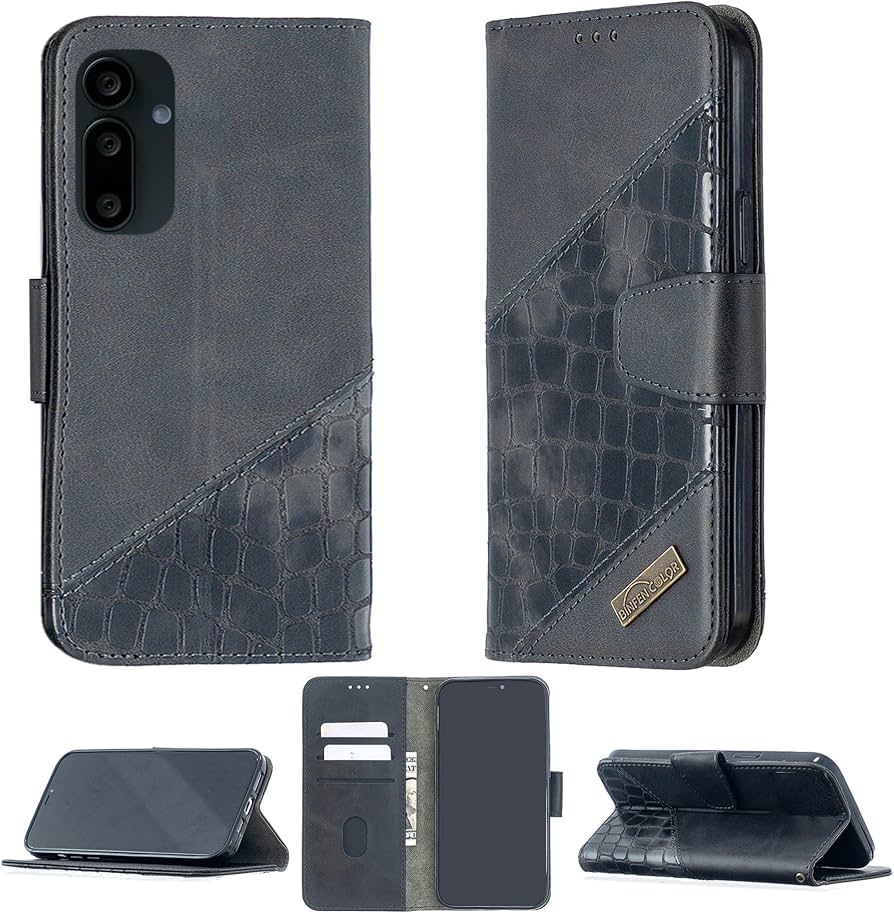

As an Amazon Associate, we may earn from qualifying purchases.
No comments yet. Be the first to share your thoughts!