
Pick the right Solana wallet for your needs
Choosing a Solana wallet comes down to one decision: do you need speed or security? The ecosystem splits into two distinct categories—hot wallets and cold wallets—each serving a different purpose in your crypto journey.
Hot wallets are software-based applications that stay connected to the internet. They are the standard for daily activity, offering instant access to your Solana (SOL), tokens, and NFTs. Phantom and Solflare fall into this category. They are designed for convenience, allowing you to swap assets on aggregators like Jupiter or interact with decentralized applications (dApps) with a single click. If you plan to trade frequently or manage digital collectibles, a hot wallet is your primary interface.
Cold wallets are hardware devices that store your private keys offline. They disconnect your assets from the internet, providing a secure vault for long-term holding. Ledger and Keystone are leading examples. While they require a physical device to sign transactions, they offer the highest level of protection against online hacks and phishing attacks. They are not ideal for rapid trading but are essential for safeguarding significant capital.
The most secure setup often combines both. Many users keep their daily spending money in a hot wallet like Phantom for ease of use, while moving the bulk of their holdings to a hardware wallet like Ledger for cold storage. This hybrid approach balances the friction of security with the convenience of accessibility.


As an Amazon Associate, we may earn from qualifying purchases.
Compare top Solana wallet features side by side
Choosing a Solana wallet often comes down to how you plan to interact with the network. Are you primarily staking SOL, trading on decentralized exchanges, or collecting NFTs? The differences between Phantom, Solflare, and Ledger shape your experience significantly.
Phantom stands out for its polished interface and deep integration with Solana’s ecosystem, making it the default choice for many newcomers. Solflare offers robust staking tools and a strong reputation for security, appealing to users who prioritize control. Ledger, a hardware wallet, provides the highest level of security for holding assets offline, though it requires a companion app for daily interactions.

The table below breaks down the core capabilities of each option. This comparison focuses on technical features that impact usability, security, and asset support.
| Feature | Phantom | Solflare | Ledger (Nano X/S) |
|---|---|---|---|
| Security Model | Software (Hot Wallet) | Software (Hot Wallet) | Hardware (Cold Wallet) |
| Supported Platforms | Browser, iOS, Android | Browser, iOS, Android, Desktop | Requires companion app (Phantom/Solflare) |
| Staking SOL | Yes (Built-in, easy) | Yes (Built-in, customizable) | Yes (Via companion app) |
| NFT Support | Yes (Native viewer) | Yes (Native viewer) | Yes (View via companion app) |
| DeFi Integration | Deep (Jupiter, Raydium) | Strong (Jupiter, Raydium) | Via companion app |
| Multi-Chain Support | Solana, Ethereum, Polygon | Solana, Ethereum, Bitcoin | 100+ cryptocurrencies |
Phantom Wallet Review for Everyday Users
Phantom has established itself as the market leader for Solana, serving over 15 million users who prioritize a clean, intuitive interface [src-serp-3]. For newcomers, the wallet strikes a balance between powerful functionality and approachable design, making it the default choice for daily crypto interactions.
Seamless DEX Trading with Jupiter
The most significant advantage of Phantom is its deep integration with Jupiter, the primary DEX aggregator on Solana. Instead of manually searching for liquidity pools, users can swap tokens directly within the wallet. Jupiter automatically routes trades to find the best rates and lowest slippage, ensuring you get the most out of every transaction. This built-in aggregation removes the friction of navigating multiple external platforms.
NFT Marketplace and Asset Management
Phantom also features a dedicated NFT marketplace, allowing users to browse, buy, and sell digital assets without leaving the app. This centralization is critical for Solana’s vibrant NFT ecosystem, where speed and low fees are paramount. The wallet’s asset list automatically updates to reflect token balances, providing a clear, real-time view of your portfolio.
Security and Accessibility
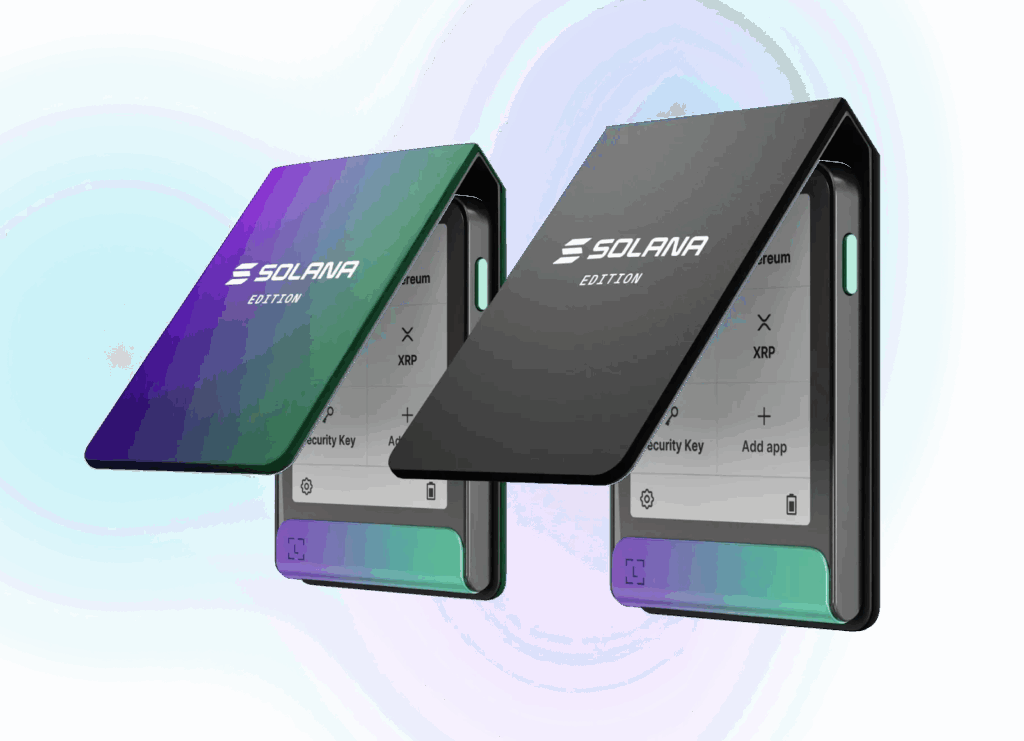
While Phantom is a software wallet, it maintains high security standards through encrypted local storage and clear transaction confirmations. It is available on iOS, Android, and major desktop browsers. For users who need to manage both hot and cold assets, Phantom integrates with hardware wallets like Ledger, allowing you to sign transactions securely while enjoying the convenience of a software interface.
Solflare and Ledger for security-focused holders
While Phantom offers speed, Solflare and Ledger serve a different priority: control. Solflare is a software wallet designed for users who want deep access to the Solana ecosystem without handing over keys to a third party. Ledger, on the other hand, is a hardware device that keeps your private keys offline, providing a physical barrier against digital theft.
Solflare stands out for its advanced staking capabilities. It allows you to delegate SOL directly to validators with low fees and offers features like Jupiter integration for seamless token swaps within the app. This makes it a strong choice for active holders who want to earn yield while maintaining full custody of their assets. The interface is clean, but it requires a bit more technical comfort than Phantom’s streamlined design.
Ledger Nano X and S Plus provide cold storage security, meaning your keys never touch the internet. This is the gold standard for protecting large amounts of SOL or long-term holdings. You can manage your Solana assets through the Ledger Live app or connect to Phantom and Solflare for on-chain interactions. While it adds a step to every transaction, it significantly reduces the risk of remote hacking.
| Feature | Solflare | Ledger (Nano X/S Plus) |
|---|---|---|
| Type | Software (Hot Wallet) | Hardware (Cold Storage) |
| Staking | Direct delegation | Via connected software wallet |
| Security Level | High (device-dependent) | Highest (offline keys) |
| Best For | Active trading & yield | Long-term holding |
If you hold a significant amount of SOL, consider using Ledger for storage and Solflare for daily management. This combination gives you the security of cold storage with the convenience of a feature-rich software interface. For smaller amounts or frequent trading, Solflare alone may be sufficient. Always verify the official sources for both wallets before downloading or purchasing.
Check your wallet setup before trading
Before you fund your wallet or connect to a dApp, take a moment to verify your security settings. A secure wallet is the foundation of your Solana experience, protecting your assets from phishing and accidental transfers. Follow this checklist to ensure your setup is robust.
Write your 12 or 24-word recovery phrase on paper and store it in a safe, offline location. Never store it digitally, in cloud notes, or as a screenshot. If you lose access to your device, this phrase is the only way to recover your funds.
When interacting with new tokens or NFTs, always double-check the contract address. Copy and paste the address from official sources like the project’s website or Solana’s official wallet directory rather than clicking links in emails or social media. This prevents you from sending funds to fake tokens.
Most Solana wallets, including Phantom and Solflare, allow you to set transaction limits or require confirmation for high-value transfers. Enable these features to add a layer of protection against accidental clicks or malicious dApp requests.
Taking these steps ensures that your wallet is configured for safety before you engage with the broader Solana ecosystem. For more detailed security guidelines, refer to the official Solana wallet documentation.
Is Phantom the best Solana wallet for you?
Phantom is widely considered the best overall Solana wallet, serving over 15 million users who value its intuitive interface and deep ecosystem integration. It is the default choice for most newcomers because it simplifies complex blockchain interactions into a clean, user-friendly experience.
The wallet’s strength lies in its seamless connection to Jupiter, the leading Solana aggregator. This integration allows you to swap tokens instantly with minimal slippage, a feature that keeps Phantom ahead of competitors for daily trading. It also supports NFT browsing and staking directly within the app, reducing the need to switch between multiple platforms.
However, Phantom may not be the best fit for everyone. If you prioritize hardware security or prefer a different mobile experience, Solflare offers a robust alternative, particularly for Android users who find Phantom’s mobile app less optimized. For those holding significant assets, a hardware wallet like Ledger provides an extra layer of protection that Phantom’s software-only model cannot match.
No comments yet. Be the first to share your thoughts!